
Administrative Users in the OnboardCentric tool have the ability to delete assigned tasks from any user, including themselves.
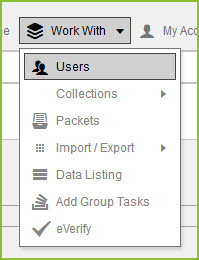
1. Select the Work With menu. Then the Users options.
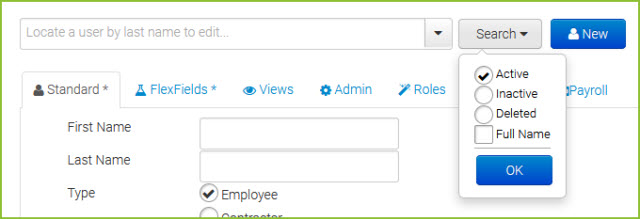
2. Search for the User who is assigned the unneeded task by utilizing the search bar. By default, this search will find active users by their last name. The search can be adjusted by using the search option button and selecting different search criteria.
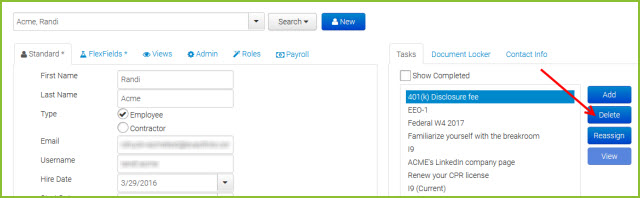
3. Once you have found the User, highlight the unneeded task on the Task tab on the right side of the page. Click the DELETE button.
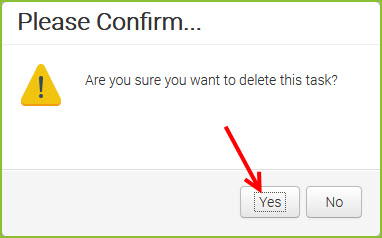
4. Confirm that you want to delete the task.
YOU MIGHT ALSO BE INTERESTED IN:
Reassign a Task
Add a Task
Packets
Still need help? Submit a support request and our team will get back to you.