
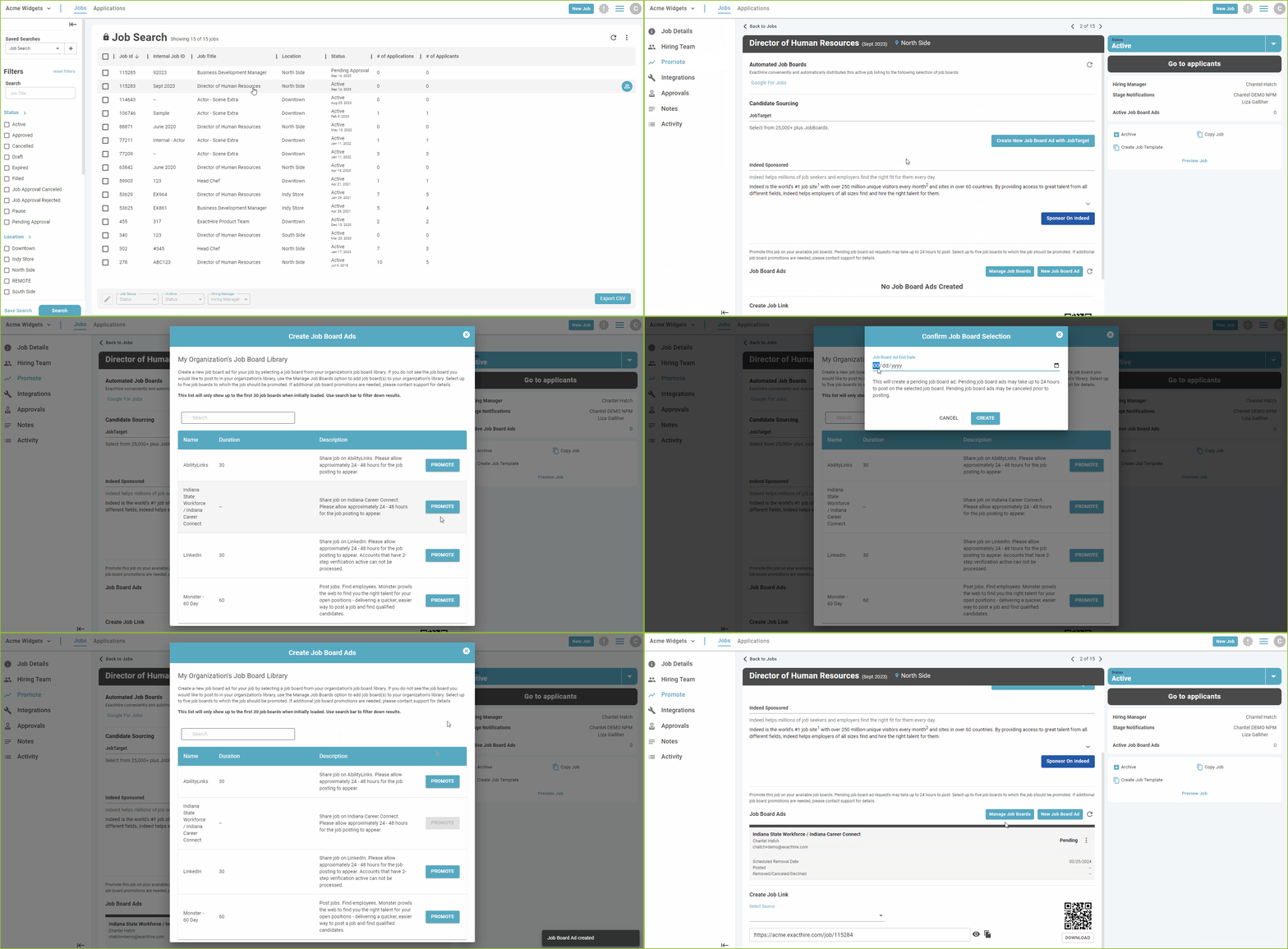
To promote a job using the Job Board Ads feature, locate the job in the JOBS view by using the available filters.
-
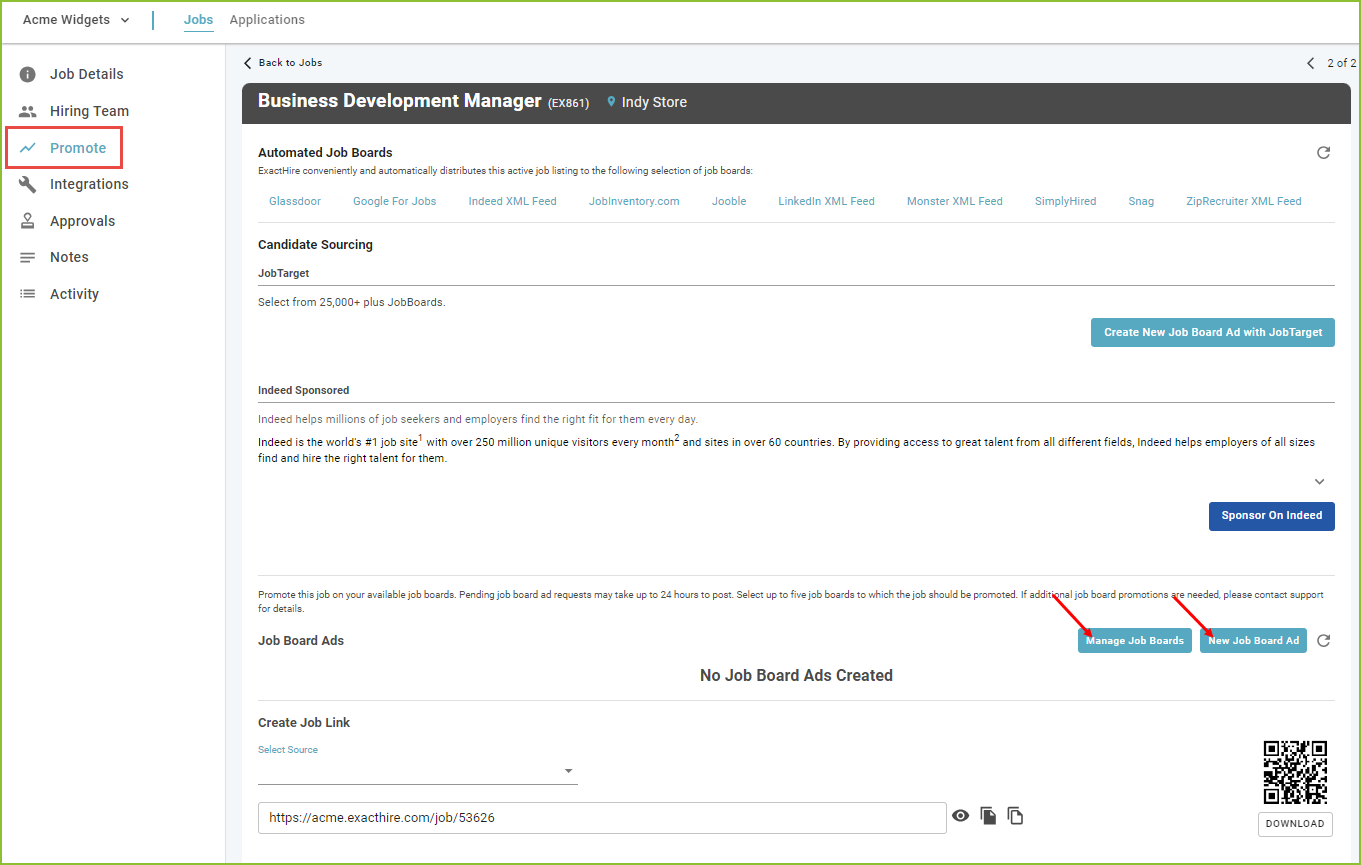
Click on the selected job title. The Job Details tab will open. Use the PROMOTE tab to access the Job Board Ads area.
-
To select job boards using the Job Board Ads feature click New Job Board Ad.
Please note: the job must be in an ACTIVE status in order to use this feature.
-
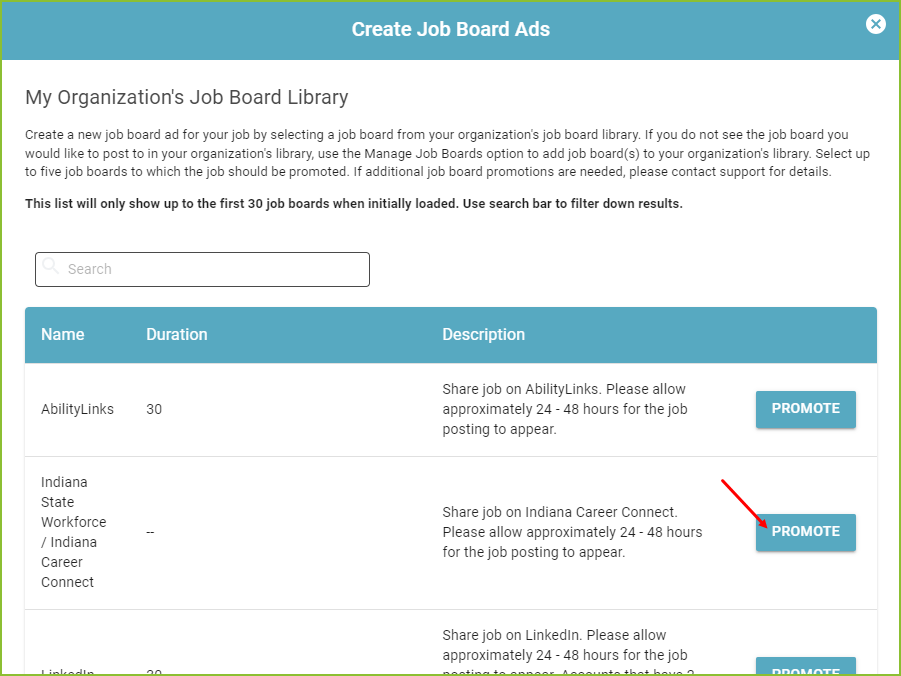
Click PROMOTE associated with the desired job board to push the job to the selected board.
-
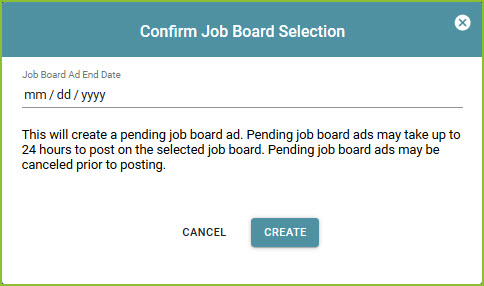
Add the requested ending date of the job ad post and click CREATE.
-
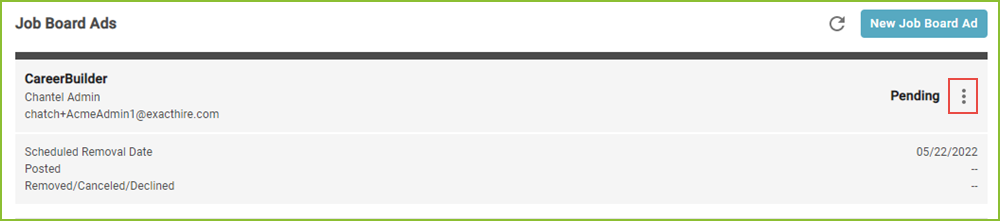
Once the job ad has been created, posting information will track in the Job Board Ad history area of the PROMOTE tab.
-
Use the More Options icon to cancel or remove the posting prior to the natural expiration of the post.
-
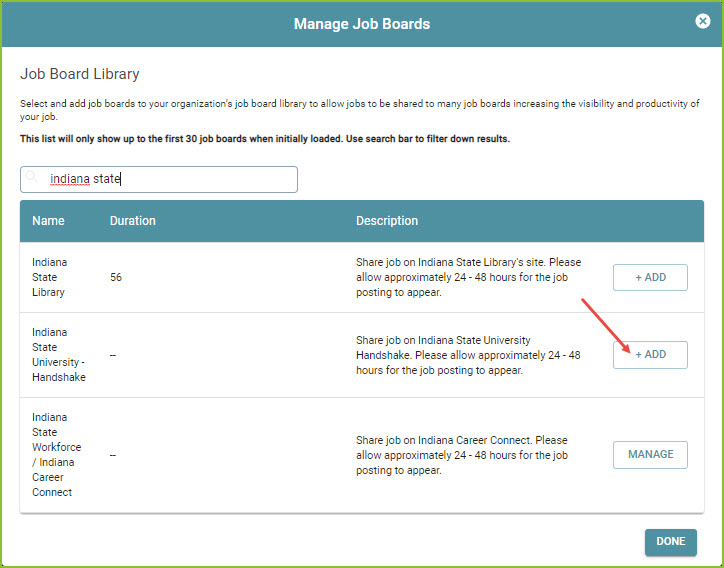
To add additional job boards to your organization's library, click Manage Job Boards.

-
Search for the desired job board by name. Click the + ADD button for the job board to add the new job board to your organization’s library.
-
Enter the requested information, typically the user name and password used to log into the job board directly, and click SAVE.
Please contact
support@exacthire.com
to request the addition of a job board(s) that are not currently in the ExactHire Job Board Library.
Still need help? Submit a support request and our team will get back to you.