
Background checks through ProScreening are available as an integration with the ExactHire ATS platform.
If you are interested in adding this feature, please contact support@exacthire.com. ExactHire will connect you with the appropriate ProScreening representative to create customized packages to suit your needs.
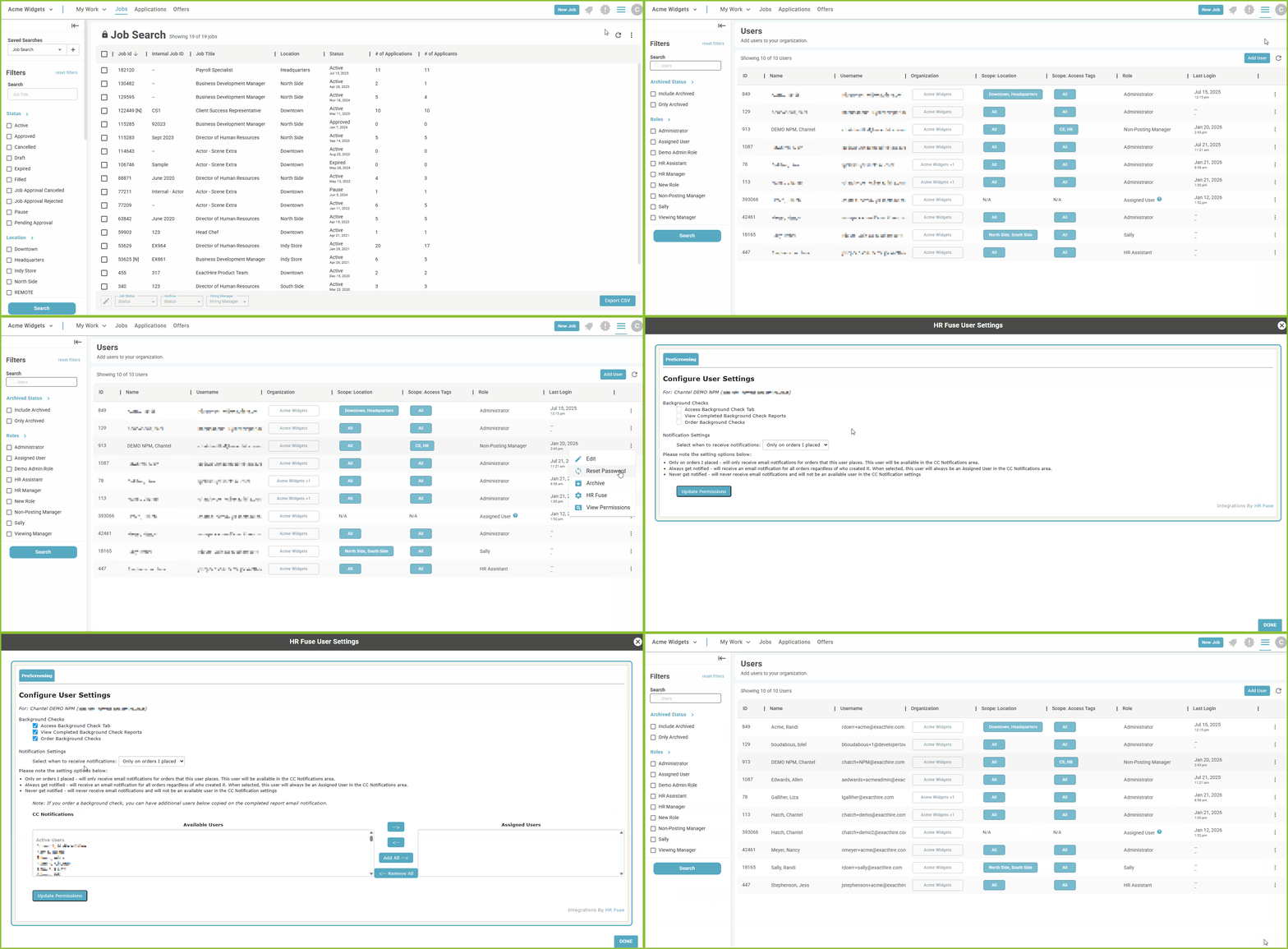
Once the ProScreening background check integration is added to your platform permission must be assigned to Users to allow them access to the integration.
-
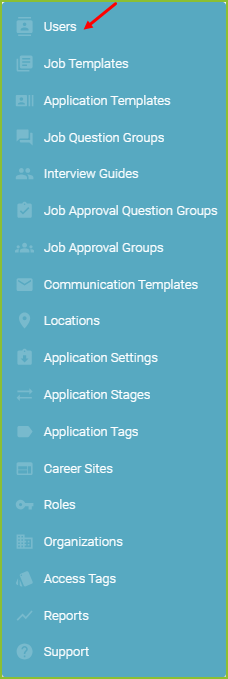
To add the ProScreening permissions to a user begin in the Settings area by clicking on the cog icon.

-
Click on Users.
-
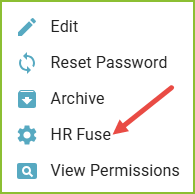
In the Users area you may assign the HR Fuse/ProScreening permissions with the More Options icon.

-
Click HR Fuse.
-
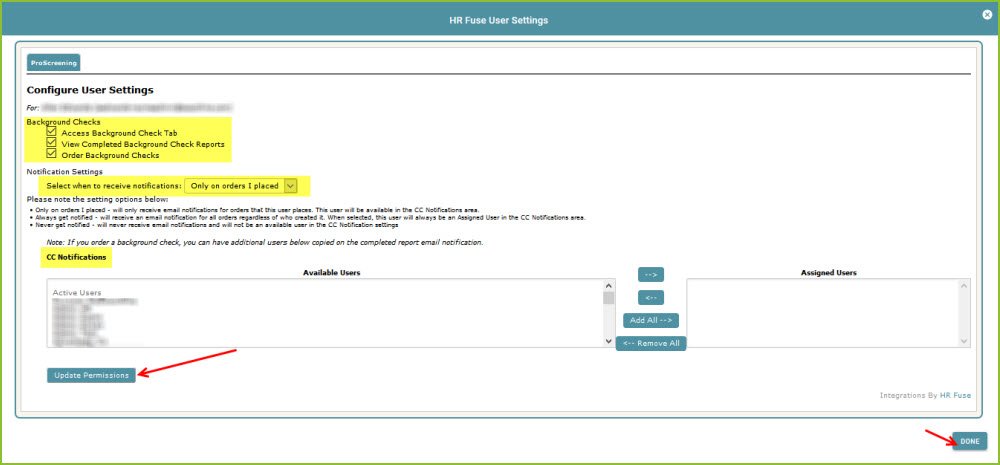
This activates the HR Fuse/ProScreening features for the User. Select the permissions, actions, notifications, and CC specific to this user. Click Update Permissions, then Done.
Still need help? Submit a support request and our team will get back to you.