
Organizations may be required to prepare and maintain an Affirmative Action Report.
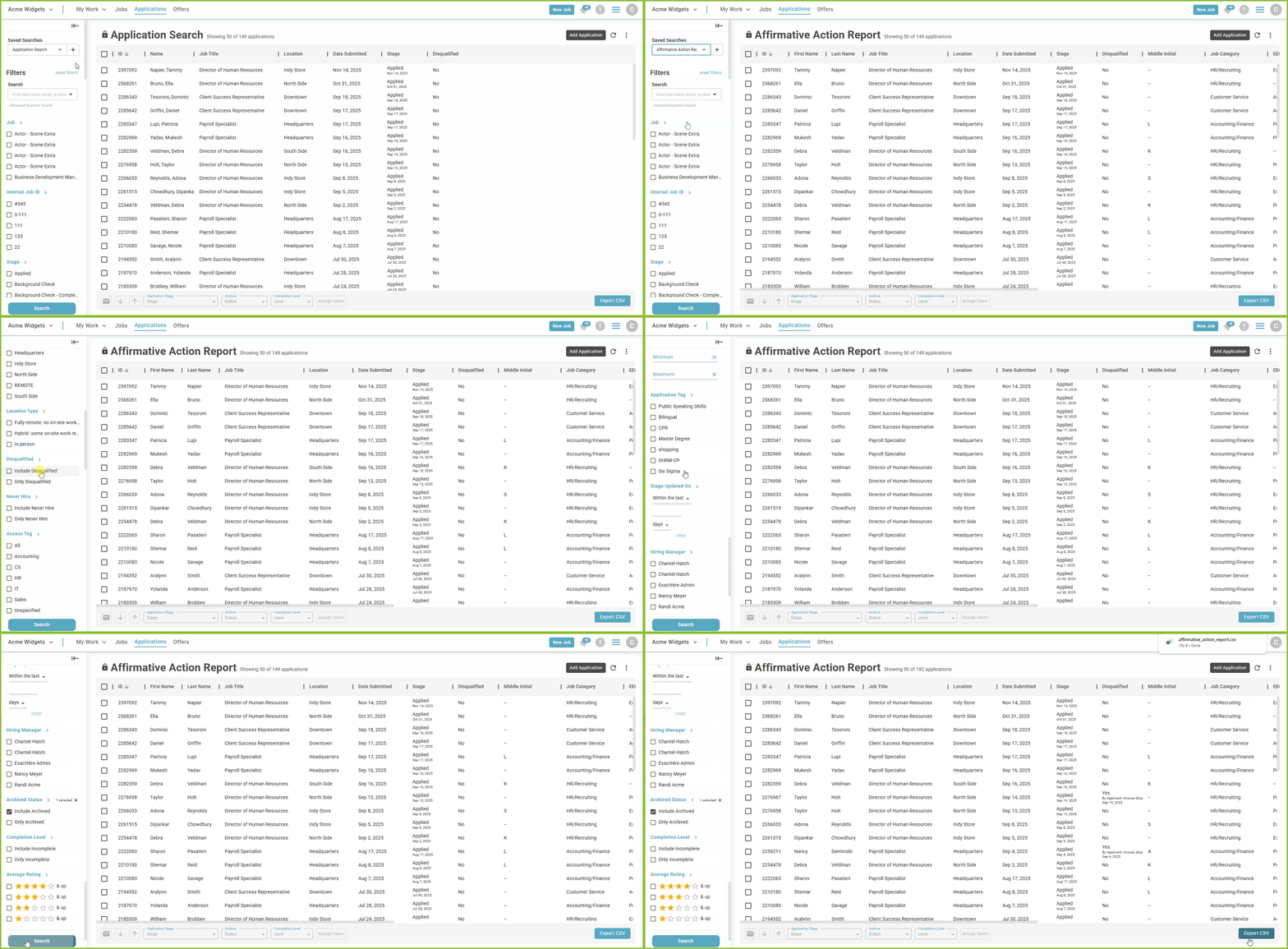
The ExactHire ATS provides a standard format Affirmative Action Report within the Saved Search menu on the APPLICATIONS View. Use the filters to tailor the report to the specific Job, date range, application stage, etc.
-
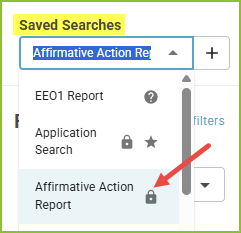
To access the Affirmative Action Report begin in the Saved Searches menu in APPLICATIONS view.
-
Click on Affirmative Action Report.
-
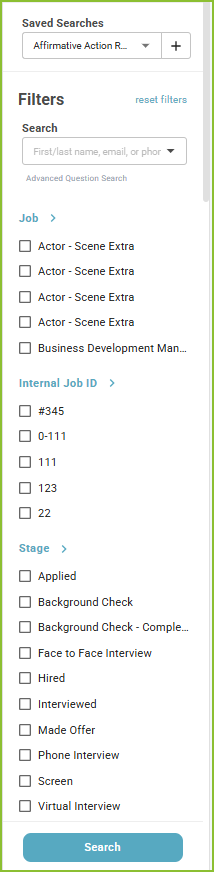
Adjust the filters to control the Job, Internal Job ID, Application Stage, Location, Disqualified, Archived Status, etc.
-
Click Search to display the results.
-
The Export CSV button will export the results of the report into a csv.
Custom Affirmative Action Report
Option 1
-
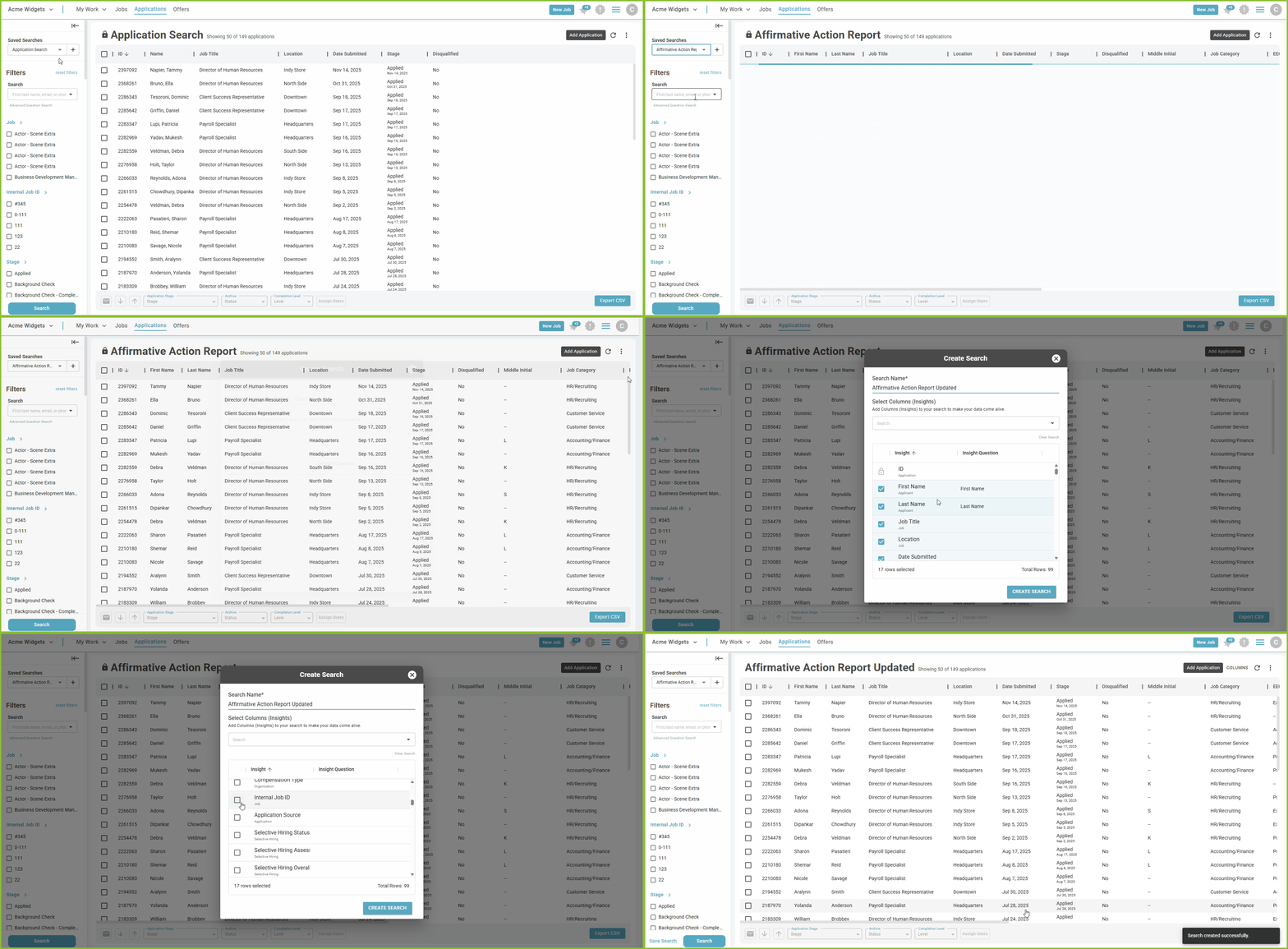
Access the standard Affirmative Action Report following the steps above.
-
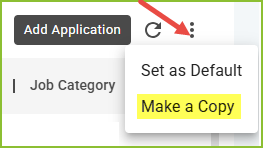
Open the More Options menu.
-
Select Make a Copy.
-
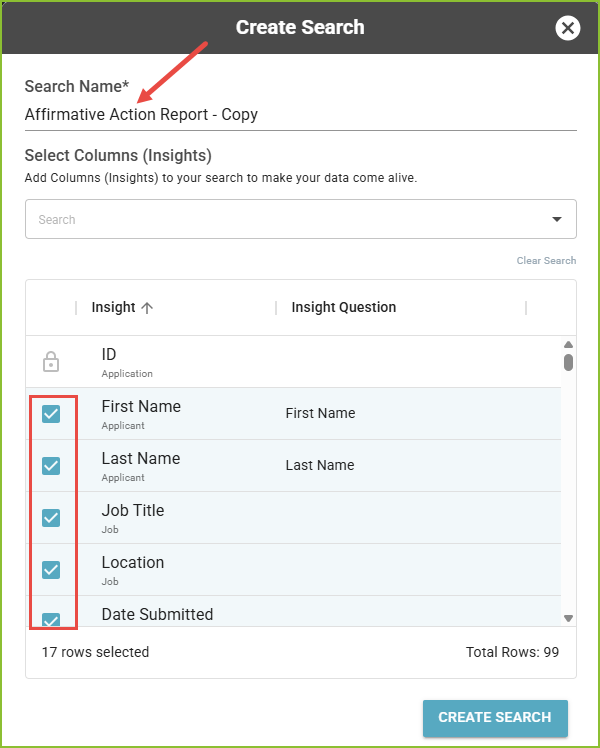
Rename the Saved Search, as needed.
-
Check or uncheck the options to adjust the Insights (columns) to be included in the report.
-
Click Create Search.
Option 2
-
A custom Affirmative Action Report can be created using the Saved Search tool. Follow the steps found here: Insights and Saved Searches (Custom Reports).
Still need help? Submit a support request and our team will get back to you.