
Selected Users have the ability to edit Role types and permissions to be assigned to users within the organization.
-
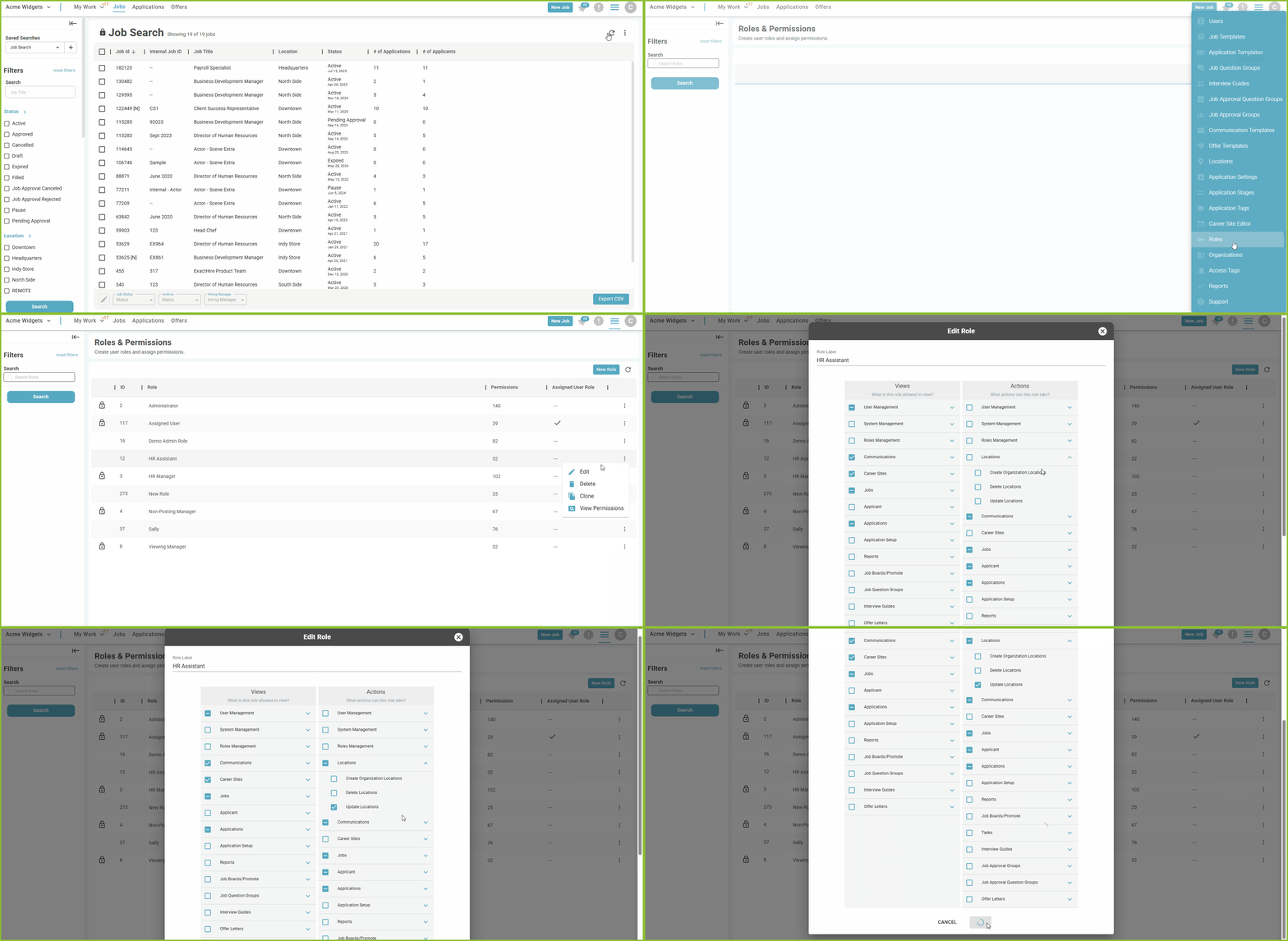
To create a new Role begin in the SETTINGS area.

-
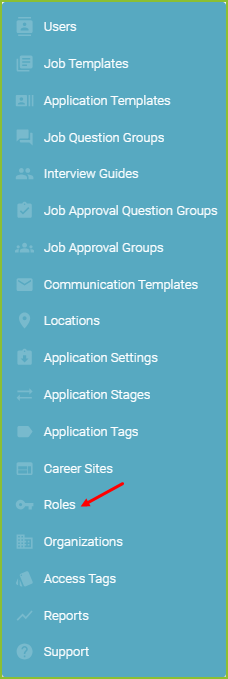
Click on Roles.
-
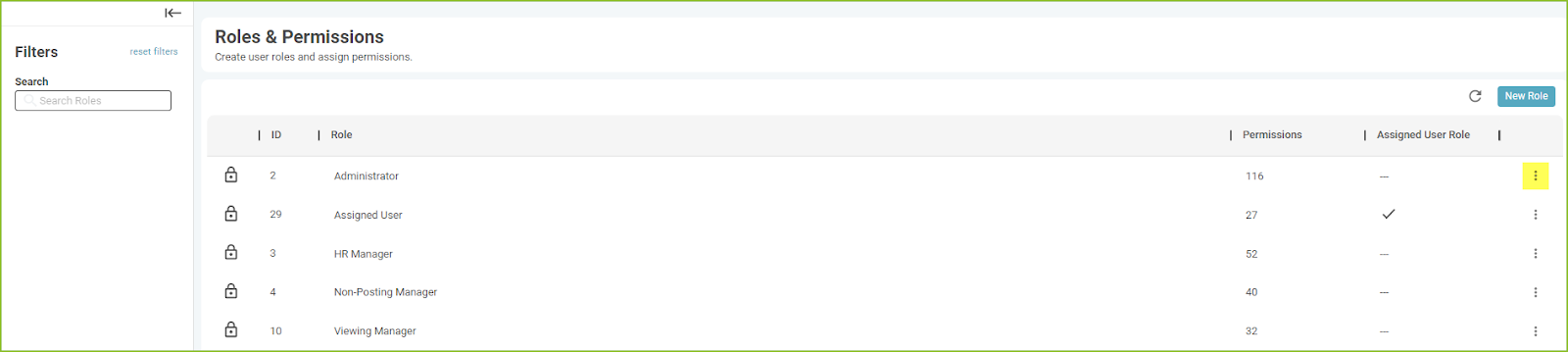
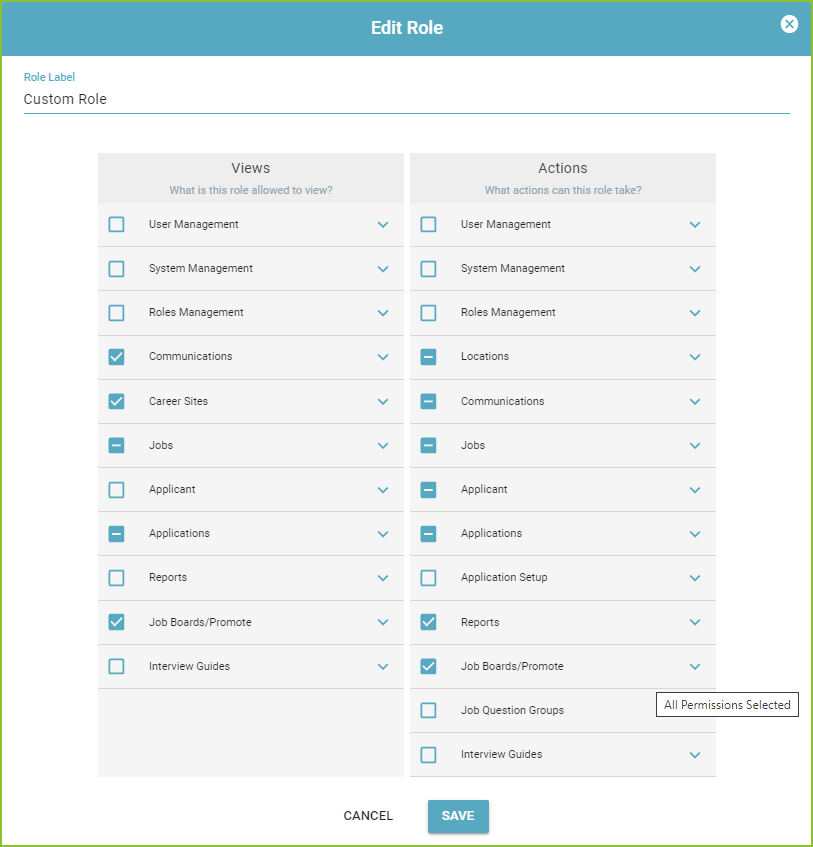
To make adjustments to the Role and permissions, click the More Options icon associated with the Role.
-
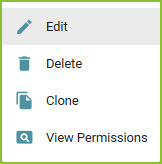
The Edit option will allow the user to alter the Roles and permissions.
-
Use the down expand arrow in each specific category to expand the view and assign or remove the various permissions within the category.
-
Click SAVE.
-
Confirmation of the edits to the Role will appear on screen.
-

-
The Delete option will delete the user Role.
-
The Clone option will create a new user Role with identical settings to the Role selected. Click SAVE.
-
Confirmation of the edits to the Role will appear on screen.

-
The View Permissions option will provide an overview of the permissions assigned to the Role.
VIEWS
-
User Management
-
-
View Users - Allow user to view other users in Settings.
-
-
-
Sent User Registration - Allow user to sent other user a registration.
-
-
-
Reset User’s Password - Allow user to reset other users password.
-
-
-
Allow access to ALL Scope - Allow user to access a scope of ALL.
-
-
System Management
-
-
View Organizations List - View list of alternate organizations associated with the organization.
-
-
Roles Management
-
-
View Roles - Allow user to view Roles in Settings.
-
-
Communications
-
-
View Messages - Allow user to view the application chat component.
-
-
-
View Communication Templates - Allow user to view Communication Templates in Settings.
-
-
Career Sites
-
-
View Career Sites - Allow user to view Career Site options in Settings.
-
-
Jobs
-
-
View Job Templates - Allow user to view Job Templates in Settings.
-
-
-
View Job Notes - Allow user to view the Notes tab on the Job.
-
View Private Job Notes - Allow the user to view Private notes on the Notes Tab of the Job.
-
-
Applicant
-
-
View Applicants OnboardCentric push status - View the status of the applicants OnboardCentric push.
-
-
-
Personal Demographic Information (EEO) - Allow user to view the Personal Demographic Information (EEO).
-
-
-
View Predictive Index API Assessments - View the Integrations tab which contains Predictive Index Assessments.
-
-
Applications
-
-
View Application Resumes - Allow user to view application added by the applicant
-
-
-
View Application Notes - Allow user to view notes added to the application.
-
-
-
View Application Admin Uploads - Allow user to view Admin uploaded files
-
-
-
View Users Activity Log - Allow user to view the activity log in an application.
-
-
-
View & Create Private Application Notes - Allow user to view notes labeled as Private.
-
View Application Tags - Allow user to view the Application Tags assigned to an applicant.
-
Hide out-of-scope applications - Hide the application which are outside of users scope in the Applications Tab.
-
-
Reports
-
-
View Standard Reports - Access to the Standard Reports area.
-
-
Job Boards/Promote
-
-
View Job Board Ads - Allow user to view job board ads in Promote area.
-
-
Job Question Groups
-
-
Manage Job Question Groups - Allow user to create Job Question Groups in Settings.
-
-
Interview Guides
-
-
View All Interviews - Allow user to view all interviews in an application.
-
ACTIONS
-
User Management
-
-
Edit User - Allow user to edit other users’ authorities in Settings.
-
-
-
Delete User - Allow user to delete a user in Settings.
-
-
-
Add User - Allow user to add a user in Settings.
-
-
-
Manage User Scope - Allow user to add Locations and Access Tags to a user in Settings.
-
Manage Organization User Scope - Allow user to add Organization to a User.
-
Revoke User Calendar - Allow user to revoke the calendar integration for users.
-
HR Fuse Access - Allow user to add/revoke HR Fuse Access for users.
-
-
System Management
-
-
Manage Organization Access Tags - Allow user to manage the Access Tags for the Organization in Settings.
-
-
Roles Management
-
Create Role - Allow user to create a Role in Settings.
-
Edit Role - Allow user to edit an existing Role in Settings.
-
Delete Role - Allow user to delete a Role in Settings.
-
Assign Roles to Users - Allow user to assign Roles to users in Settings.
-
Assign Permissions to Roles - Allow user to assign Permissions to Roles in Settings.
-
-
Locations
-
-
Create Organization Locations - Allow user to add Organization Locations in Settings.
-
-
-
Delete Locations - Allow user to delete Locations in Settings.
-
-
-
Update Locations - Allow user to edit Locations in Settings.
-
-
Communications
-
-
Send Message - Allow user to send communication to an applicant in the application.
-
-
-
Create Communication Template - Allow user to create Communication Templates.
-
-
-
Edit Communication Template - Allow user to edit Communication Templates.
-
-
-
Delete Communication Template - Allow user to delete Communication Templates.
-
-
-
Manage Communication Template Scope - Allow user to add Locations and Access Tags to a Communication Template.
-
-
-
Set Thank You Communication Template - Allow user to set a Communication Template as the automated Thank You email.
-
-
-
Set Incomplete Application Reminder Communication Template - Allow user to set a Communication Template as the automated Incomplete Application Reminder.
-
-
Jobs
-
-
Create Jobs - Allow user to add a New Job.
-
-
-
Update Jobs - Allow user to edit jobs.
-
-
-
Add Hiring Team Members - Allow user to Add Hiring Team to a Job.
-
-
-
Assign Stages to Hiring Team Members - Allow user to add Stage to Hiring Team on the job.
-
-
-
Delete Hiring Team Member - Allow user to delete Hiring Team from job.
-
-
-
Create/Update Job Templates - Allow user to add or edit Job Templates in Settings.
-
-
-
Remove Job Templates - Allow user to delete Job Templates in Settings.
-
-
-
Update Job Status - Allow user to change job status on job.
-
-
-
Post Job to Career Site - Allow user to Promote job to a Career Site.
-
-
-
Manage Job Access Tags - Allow the user to add Access Tags to the job.
-
-
-
Allow Use of Mass Job Actions - Allow user ability to use the Edit Jobs feature to make mass changes to job(s).
-
-
-
Manage Hiring Managers - Allow user to edit the Hiring Manager field in the Hiring Team area.
-
-
-
Delete Job Notes - Allow user to delete a note on a Job.
-
Post Only Me Job Notes - Allow users to create Only Me notes on a Job.
-
Create Job Notes - Allow users to create notes on a Job.
-
Edit Job Notes - Allow user to edit a note on a Job.
-
-
-
Copy Job - Allow user to copy an existing job to create a new job.
-
-
-
Override Job Approval Task - Allow user ability to override an approval task.
-
-
-
Manage Job Approvals - Allow user to create/manage Job Approvals.
-
-
Applicant
-
-
Edit Applicant Profile - Allow user to edit applicant profile on application.
-
-
-
Set Applicant to Never Hire - Allow user to set application to Never Hire.
-
-
-
Push Person to OnboardCentric - Allow user to push a hired applicant to onboarding.
-
Schedule Event with Applicant - Allow user to schedule an interview with the applicant with the calendar tool.
-
Save Predictive Index Open Invitation Settings - Allow user to edit the Open Invitation settings for Predictive Index.
-
Manage Predictive Index API Assessments - Allow user to edit the API settings for Predictive Index.
-
-
Applications
-
-
Copy Application - Copy an application to another job.
-
-
-
Create Application Note - Allow user to add notes to an application.
-
-
-
Upload Documents to Application - Allow user to add documents to application.
-
-
-
Move Application to new Stage - Allow user the ability to use the application stage labels.
-
-
-
Set Application Advancement Reasons - Assign a reason when updating applicant stage.
-
-
-
Can Disqualify Applicant - Disqualify and assign a disqualification reason.
-
-
-
Add Application to Job - Add an application to a job.
-
-
-
Manage Multi-Step Applications - Allow user to invite applicant to the next step in the Multi-Step application template.
-
Allow use of mass application actions - Allow user to make a mass change to applications.
-
Edit Application Advancement Reasons - Allow user to edit Application Advancement Reasons in Settings.
-
Edit Application Disqualification Reasons - Allow user to edit Application Disqualification Reasons in Settings.
-
Create ‘Only Me’ Application Notes - Allow users to create Only Me notes.
-
Manage Application Stages - Add or Edit Application Stages.
-
Send Invite to Revise Application - Invite manually added applicant to revise application.
-
Allows Archiving of Applications - Allows user to archive applications.
-
Assign Application Tags - Allow user to assign an Application Tag to an application.
-
Edit Application Notes - Allow user to edit a note on an application.
-
Delete Application Notes - Allow user to delete a note on an application.
-
Can assign applications to User - Allow user to assign applicants to another user.
-
-
-
Set Application Completion Level - Allow user to set an incomplete application to complete.
-
-
Application Setup
-
-
Manage Application Templates - Edit application template.
-
-
-
Manage Application Tags - Allow user to add or edit Application Tags.
-
-
Reports
-
-
Create and Edit Application Reports - Create and edit reports in the Applications area.
-
-
-
Create and Edit Job Reports - Create and edit reports in the Jobs area.
-
-
-
Delete Report - Allow user to delete a report.
-
-
Job Boards/Promote
-
Manage Organizations Job Boards Library - Add or remove job boards from the organizations job board library in Promote area.
-
Promote Jobs to Job Boards - Promote a job on selected Job Boards in Promote area.
-
-
Interview Guides
-
-
Manage Interview Guides - Allow user to add or edit Interview Guides.
-
-
-
Manage Interviews - Allow user to manage interviews in the Interview area of an application.
-
-
-
Save Interview Answers - Allow user to save answers in an Interview Guide.
-
-
Job Approval Groups
-
-
Manage Job Approval Groups - Allow users to create/manage Job Approval User Groups
-
-
Job Approval Question Groups
-
Manage Job Approval Question Groups - Allow users to create/manage Job Approval Question Groups
-
Still need help? Submit a support request and our team will get back to you.