
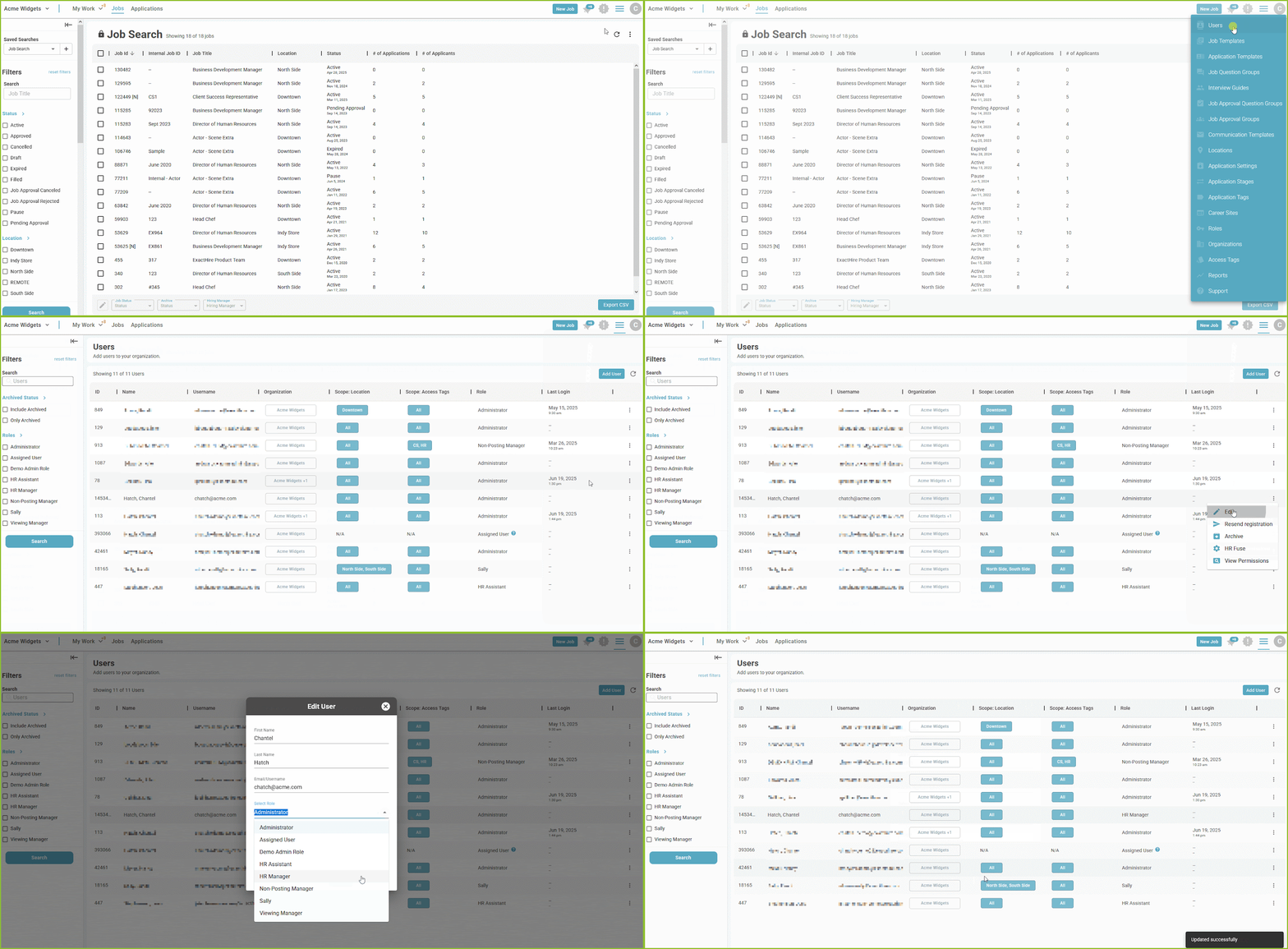
Administrator Users have the ability to edit the user access assigned to other users.
-
To edit a user begin in the Settings area.

-
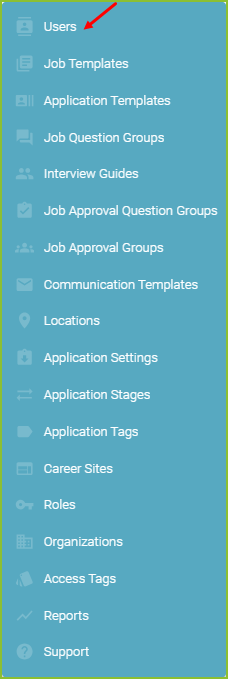
Click on Users.
-
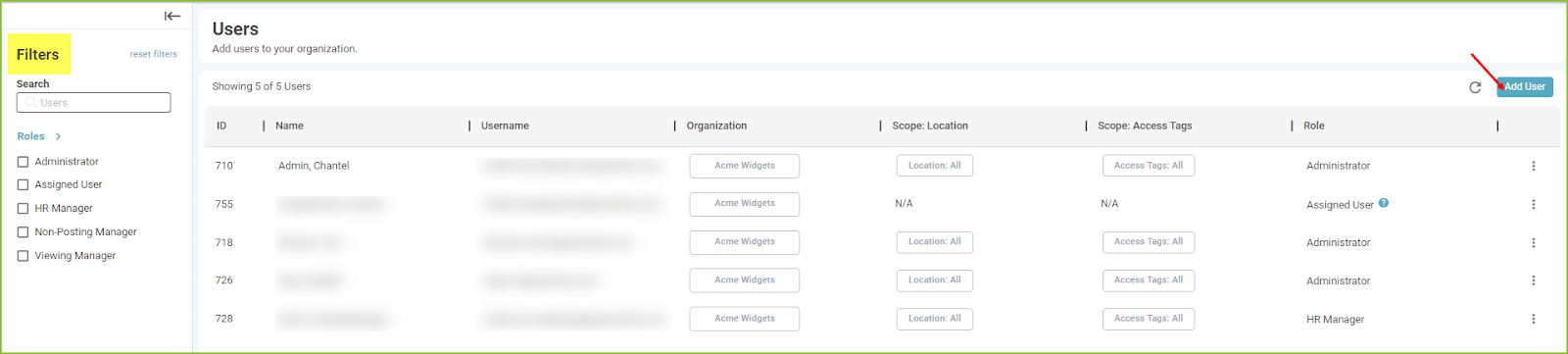
In the User area you may search users, sort/filter users, or edit user settings, roles, authority, and scope.
-
Enter search criteria into the Search Users bar to perform a search.
-
Filter by Roles.
-
-
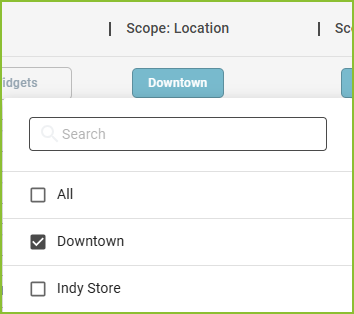
Edit the Scope by clicking on the Location button and then adjusting the allowed Location options.
-
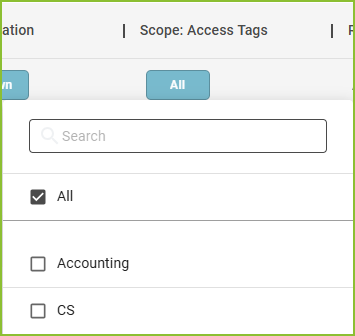
Edit the Scope by clicking on the Access Tags button and then adjusting the allowed Access Tags options.
-
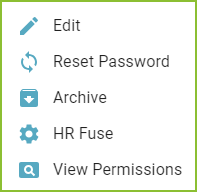
Edit the users account information (name, email address, role, and password) by clicking the More Options icon. You may also assist the user to reset their password, archive a user, set the HR Fuse Permissions, and view the role permissions in this area.
-
Confirmation of the update to the User will appear on the screen.

Last User Login Tracking
-
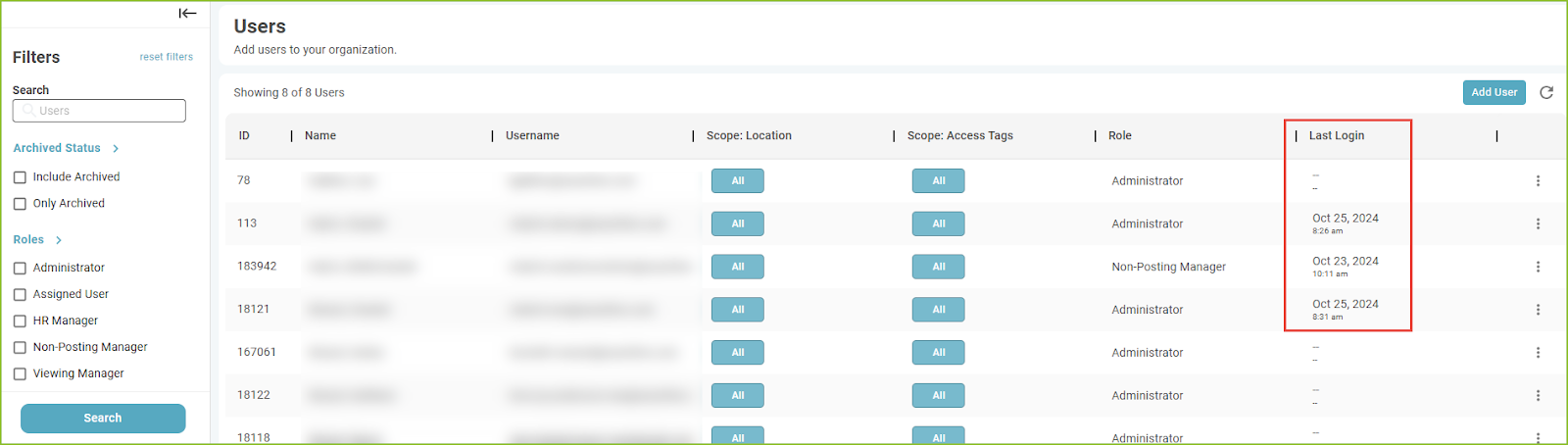
The last user login date/time is visible in the Users area.
Still need help? Submit a support request and our team will get back to you.