
Occasionally when reviewing applicants for a vacant position, a user may find an applicant that might possibly be a better fit for a different position.
The user may copy the applicant’s application information to a different job.
-
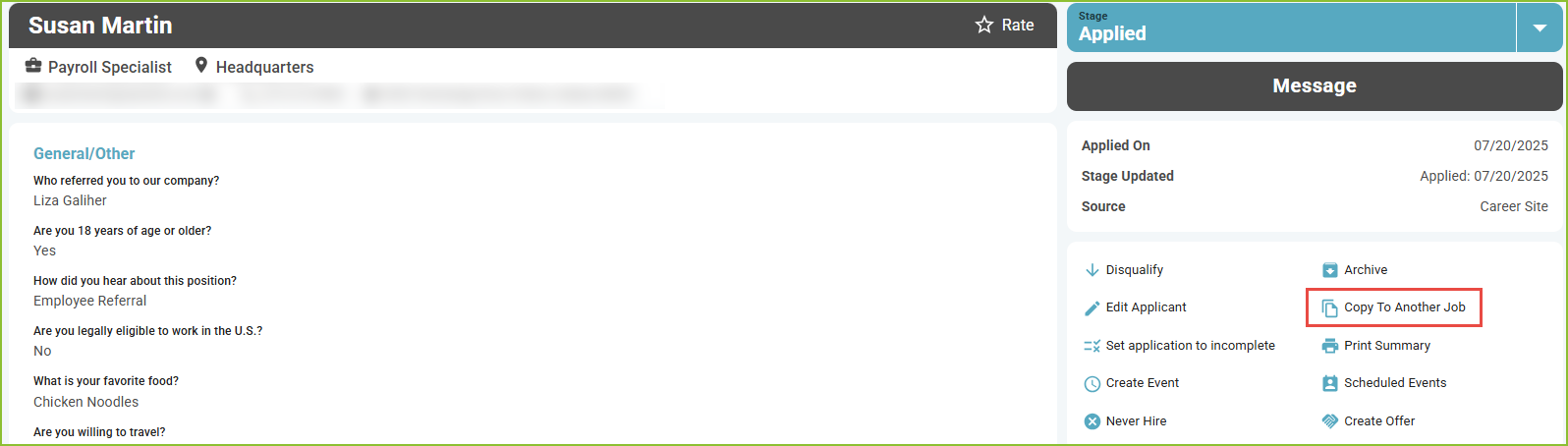
Begin in the existing Application Detail and click Copy to Another Job.
-
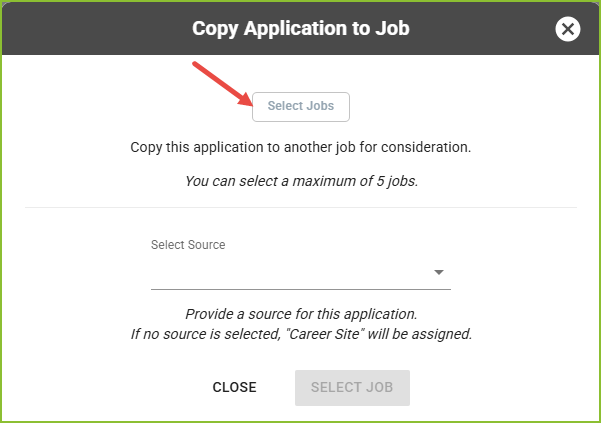
The Copy Application to Job pop up box will appear.
-
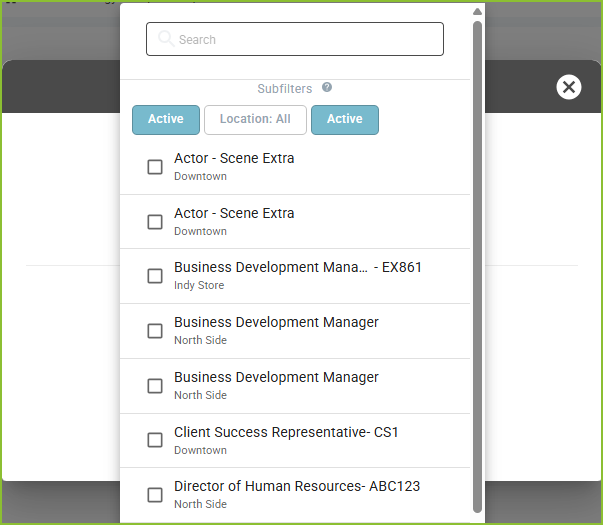
Click the Select Jobs button to select up to 5 jobs to which the application is to be copied.
-
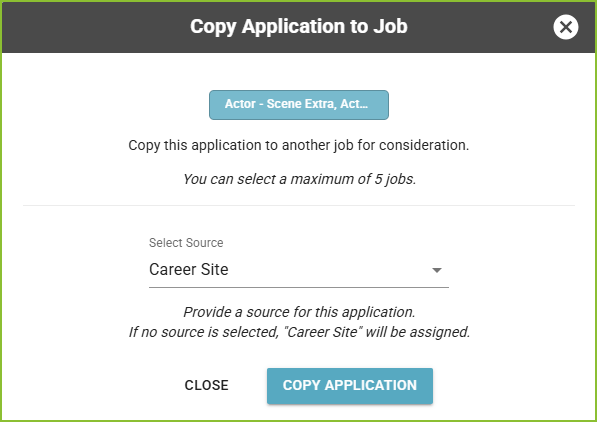
Select a Source to indicate the source of the application, if needed.
-
Click Copy Application to complete the copy.
-
Confirmation will appear in the lower right.

If the applicant is new to your organization, use the Add Application feature to create the applicant account and create an application associated with a job.
Still need help? Submit a support request and our team will get back to you.