
The mass application features found in the APPLICATIONS view will allow a user to make updates to and/or email several applicants with minimal actions.
-
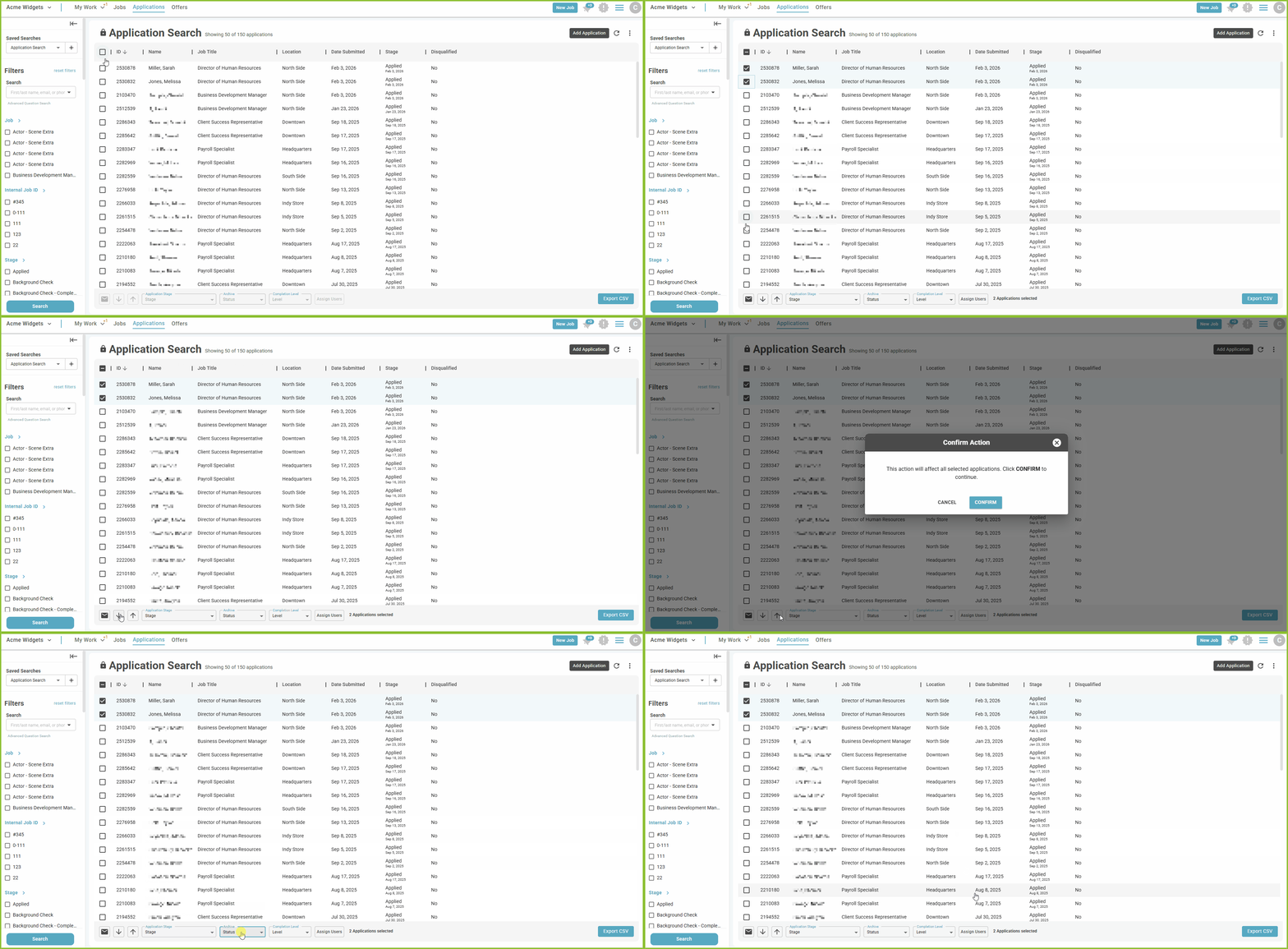
Select the applicant(s) that should be updated by clicking the corresponding checkbox or using the select all check box.
-
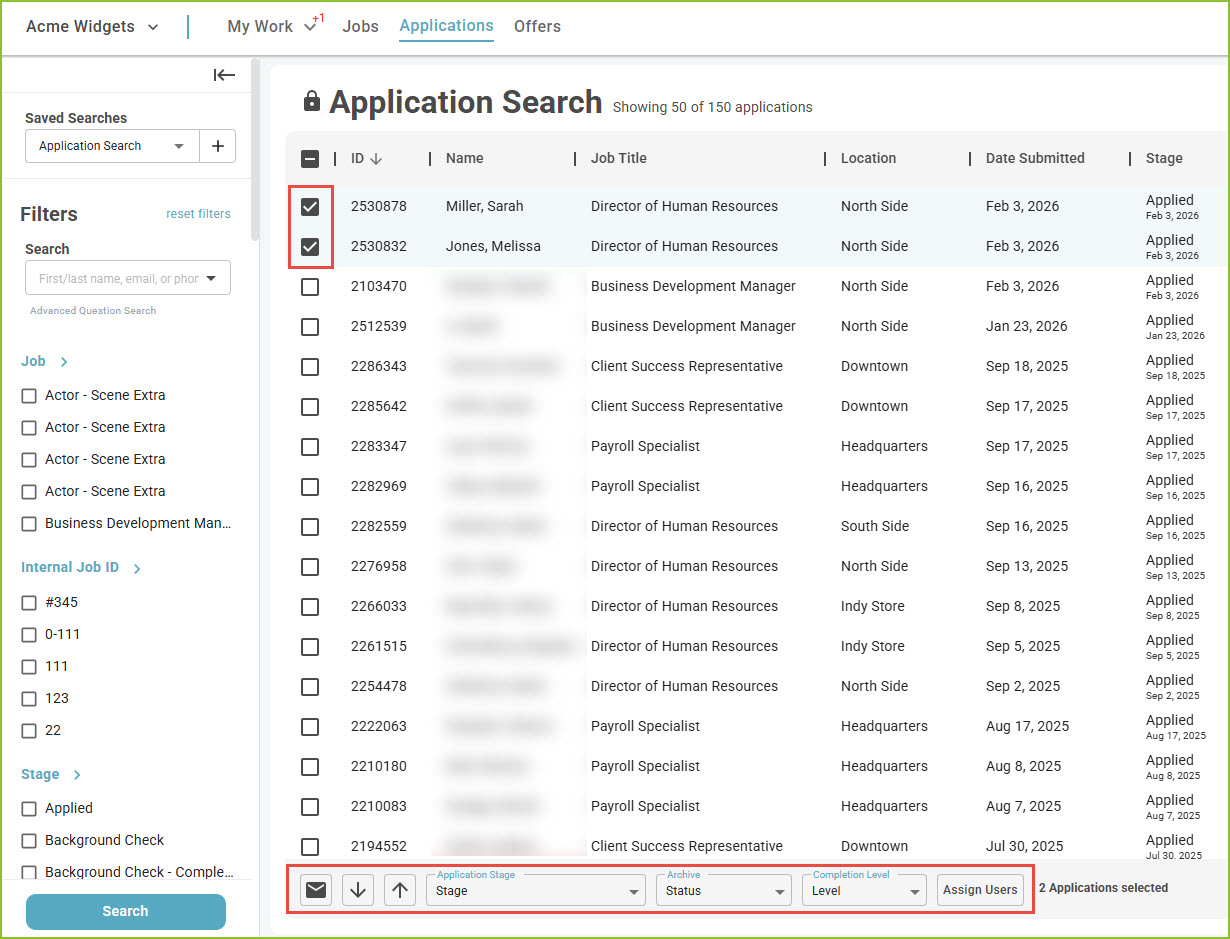
The mass action buttons will be activated.
-
-
Use the Email button to send an email to all selected applicants. A Communication Template may be used when creating the email message.
-
Use the Disqualify button to disqualify the selected applicants. The Disqualification Reason pop up will appear allowing for the selection of reason(s) for disqualification.
-
Use the Reinstate button to reinstate (remove disqualification label) from selected applicants.
-
Use the Application Stage drop down menu to select a new application stage for the selected applicants. The Advancement Reason pop up will appear, allowing for the selection of reason(s) for the stage change.
-
Use the Archive drop down menu to archive or unarchive the selected applicants.
-
Use the Assign Users button to assign the selected applicants to specific user(s).
-
Still need help? Submit a support request and our team will get back to you.