
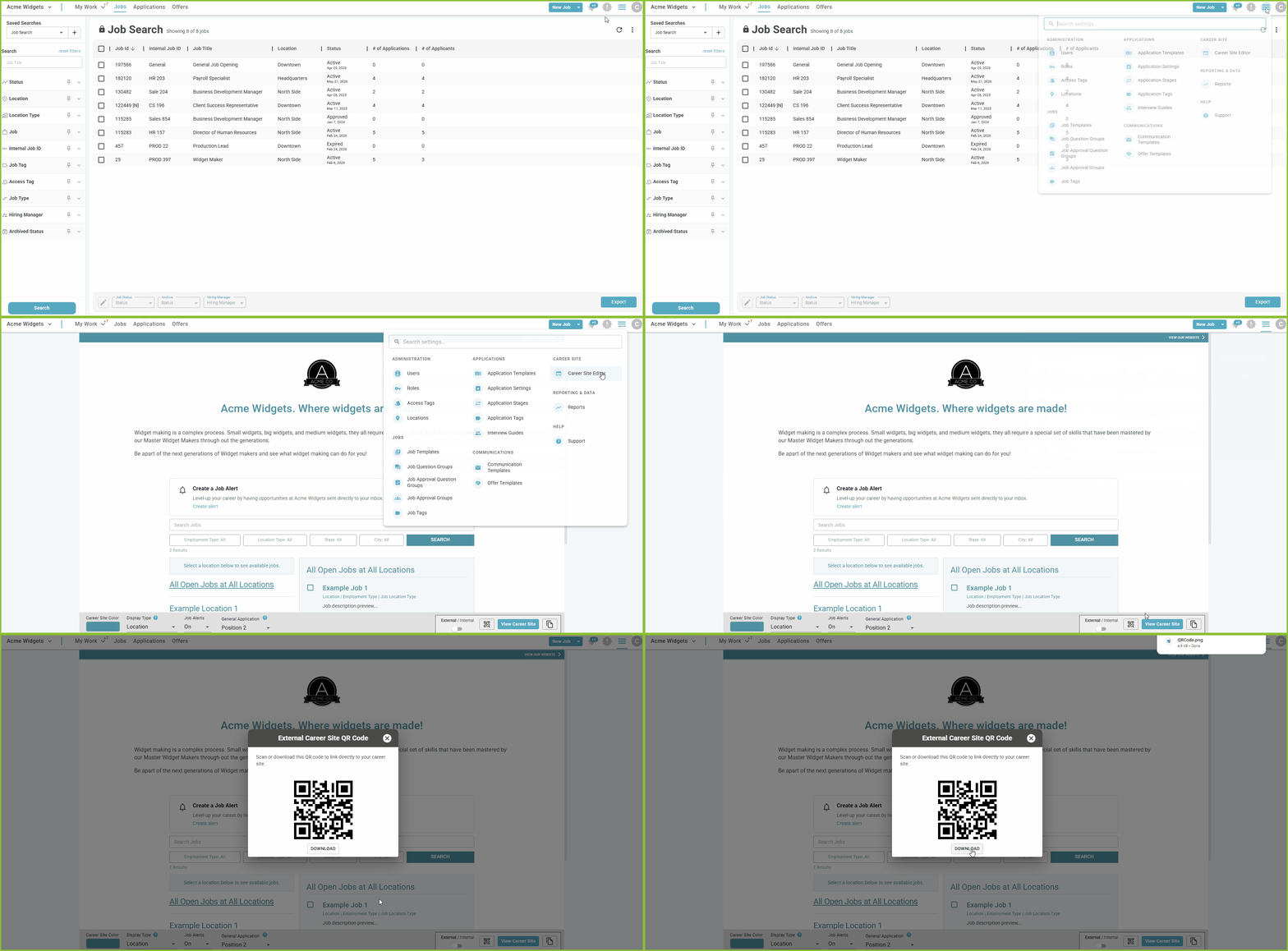
To promote the Career Site using a QR Code on a promotional poster or flyer, generate the QR Code in the Career Site Editor.
-
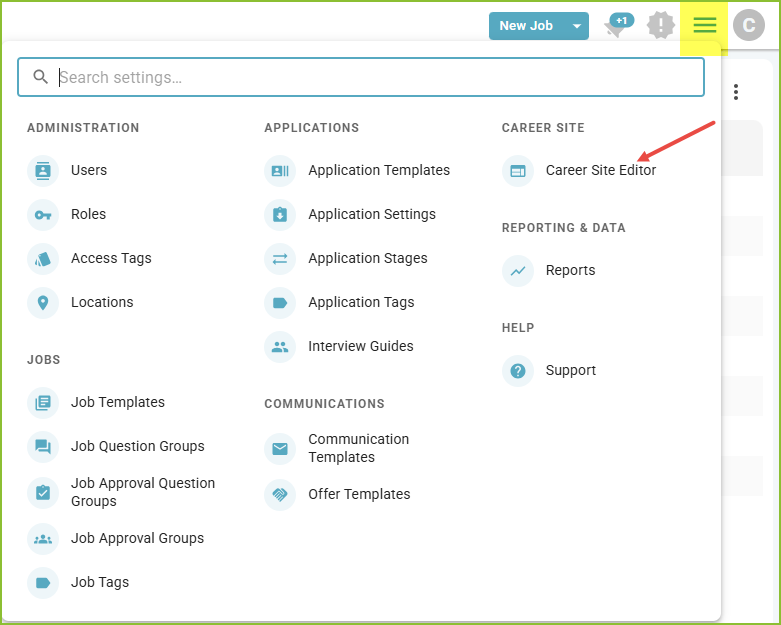
Begin in the Settings Menu.
-
Open the Career Site Editor.
-
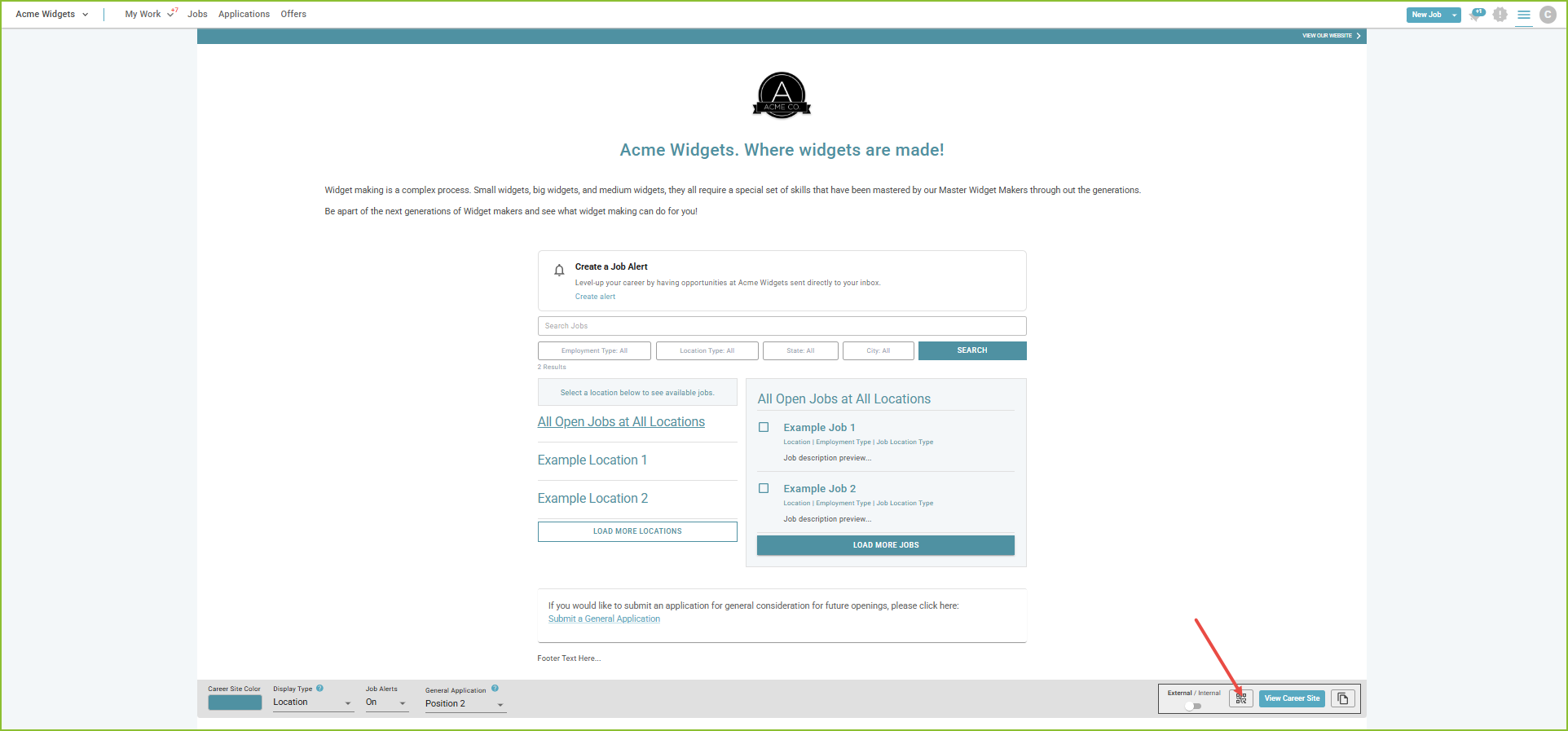
Click on the QR Code icon.
-
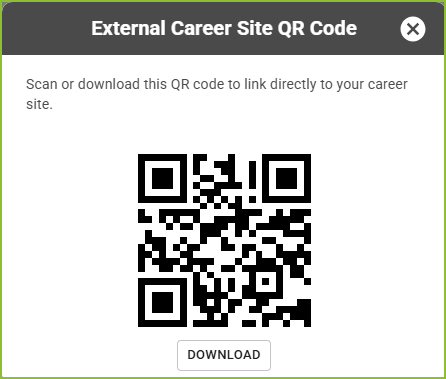
Scan or Download the QR Code.
Still need help? Submit a support request and our team will get back to you.