
Users have the ability to customize the Job Statuses available within the ExactHire ATS.
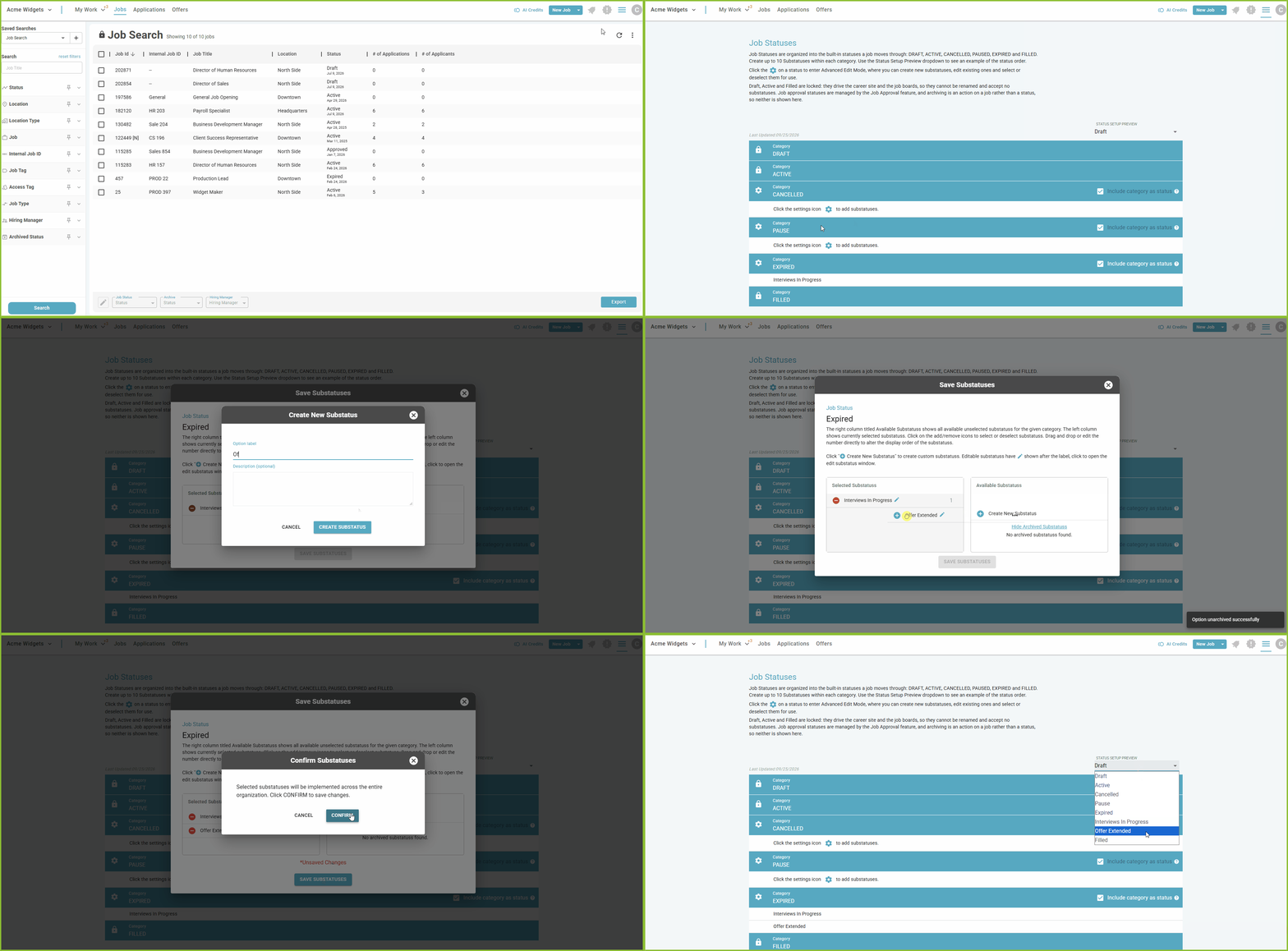
-
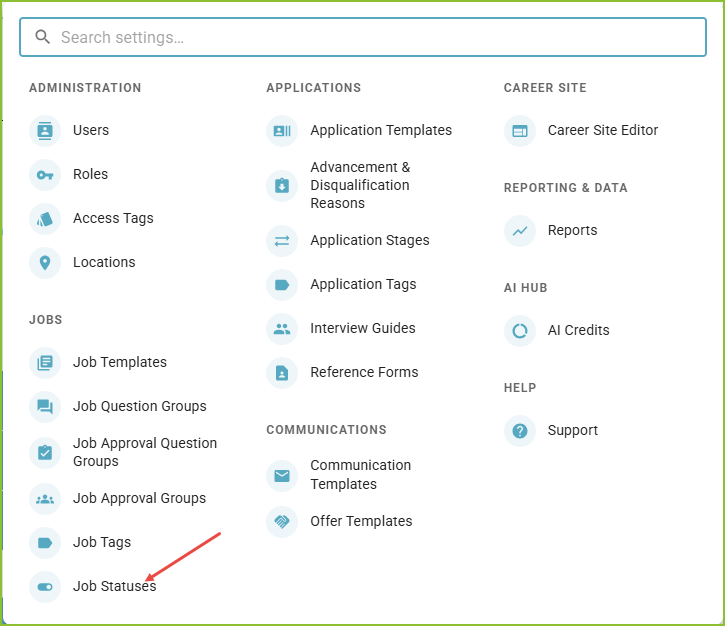
Begin in the Settings area.

-
Click on Job Statuses.
-
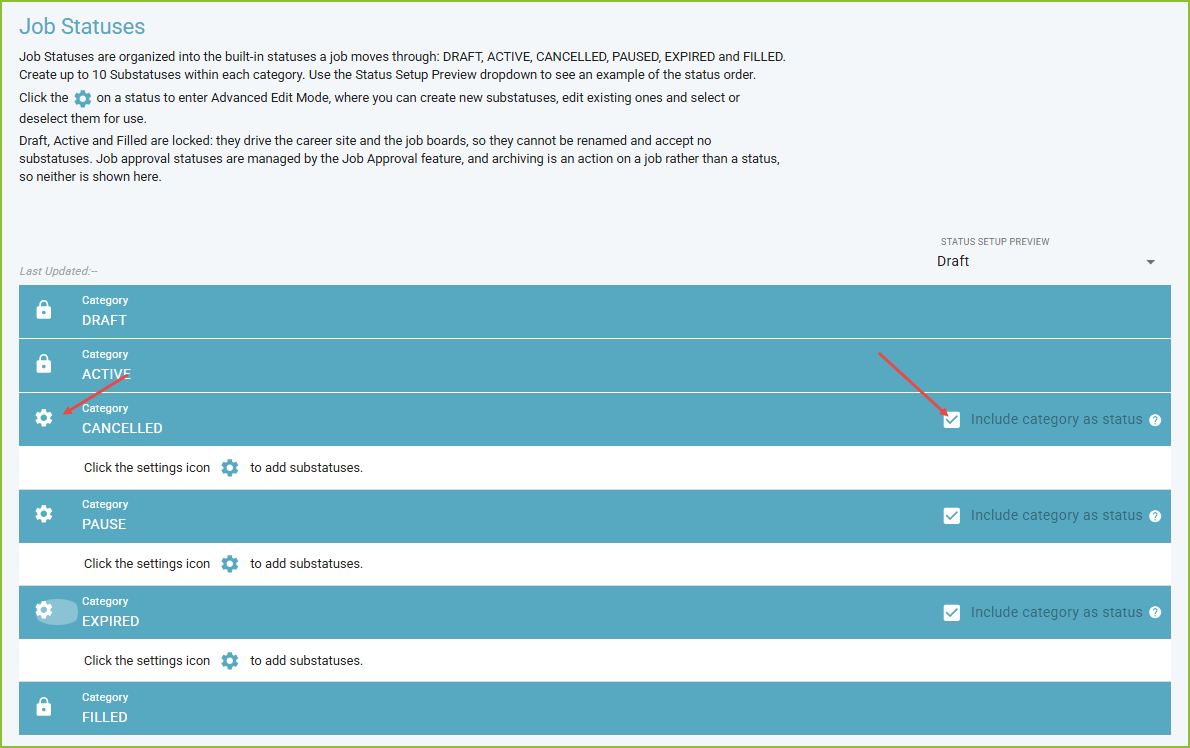
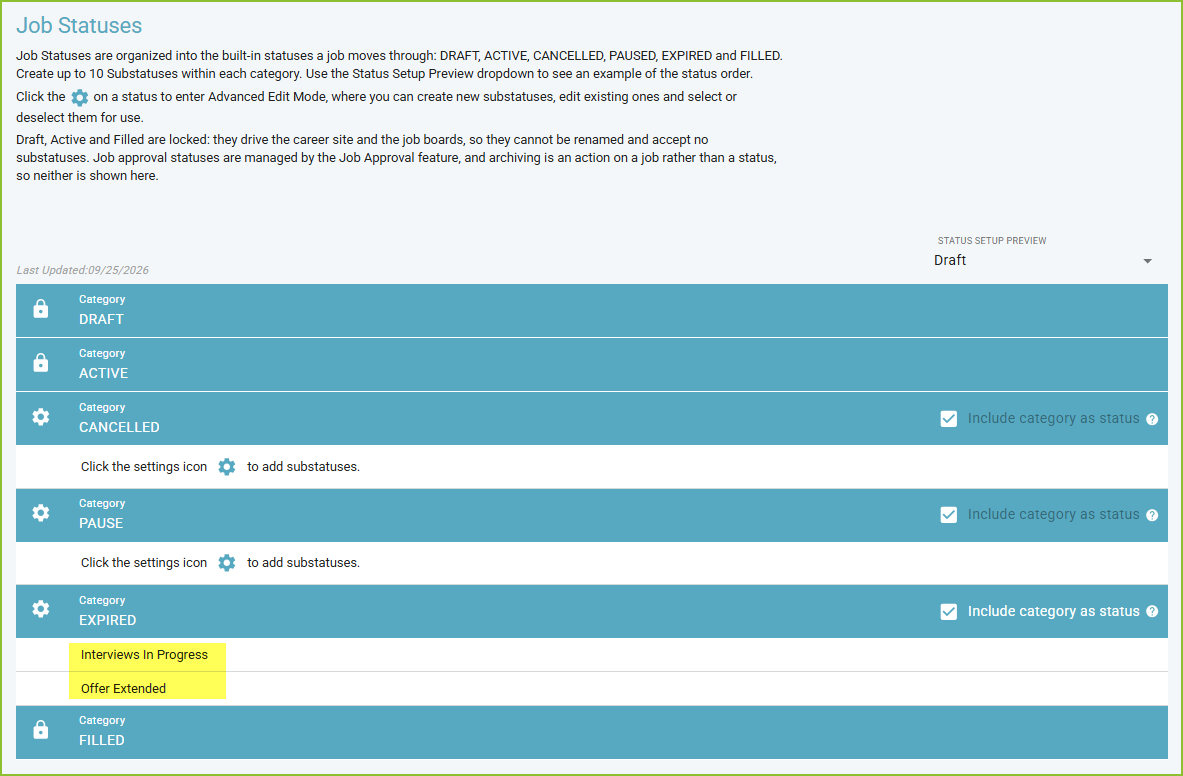
Job Statuses are organized into 6 categories:
*These stages are locked within the system.
-
The User may create up to 5 Substatuses within each unlocked category.
-
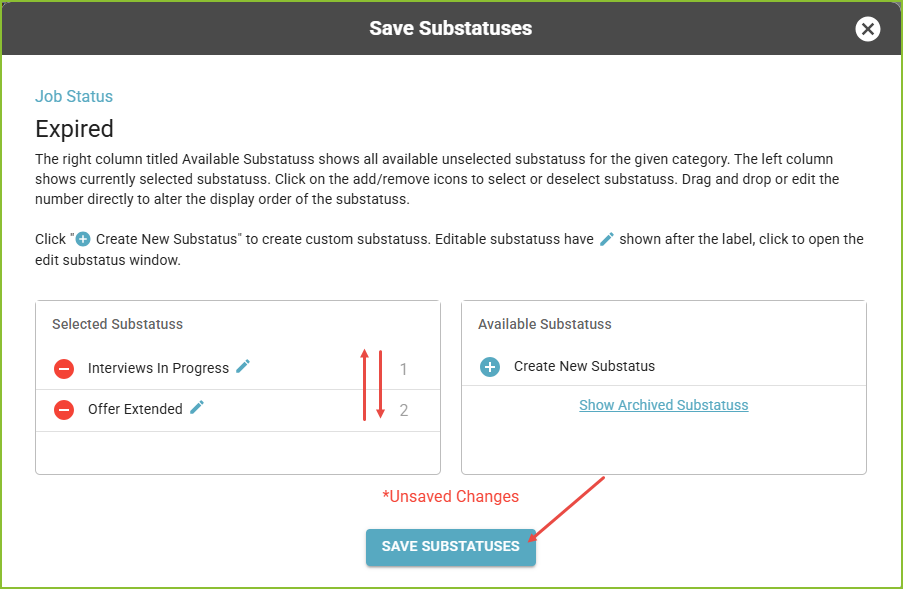
Click the Cog icon on the left to enter the Advanced Edit Mode to create new Substatuses, edit existing Substatuses, and select/deselect Substatuses for use in each stage category.
-
Select/deselect to include/remove the Category Name as a stage option.
-
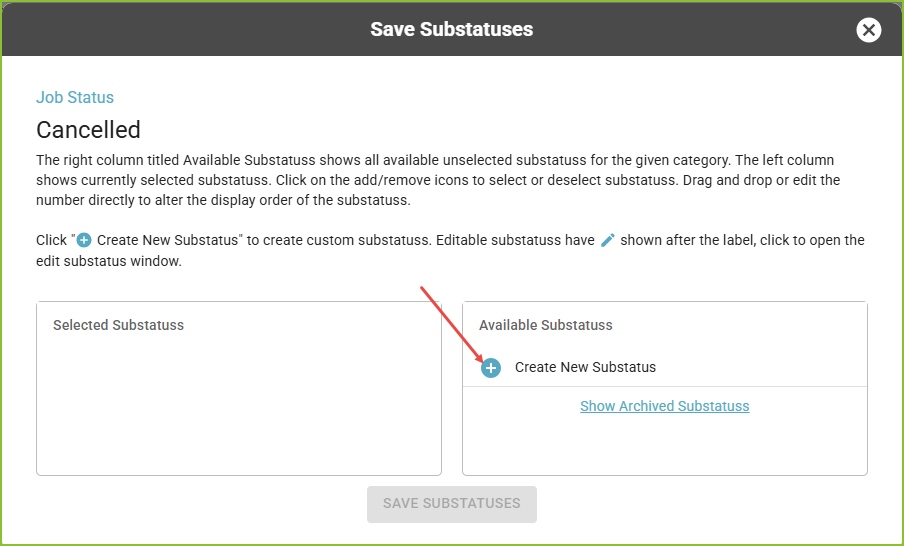
Within Advanced Edit Mode, use the + to Create New Substatus(es).
-
Drag and drop to organize the new Substatuses into the proper order within the Category.
-
Click SAVE SUBSTATUSES to save the changes.
-
-
The newly created Substatuses will be visible in the Job Statuses view.
-
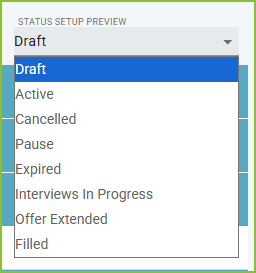
Use the Status Setup Preview dropdown to see an example of the stage order.
-
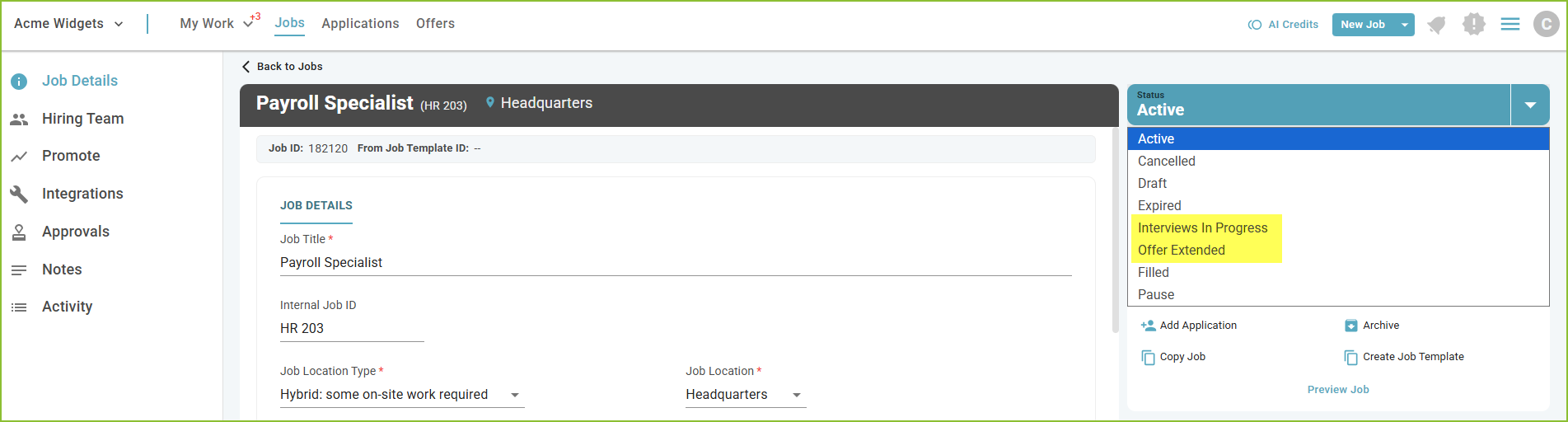
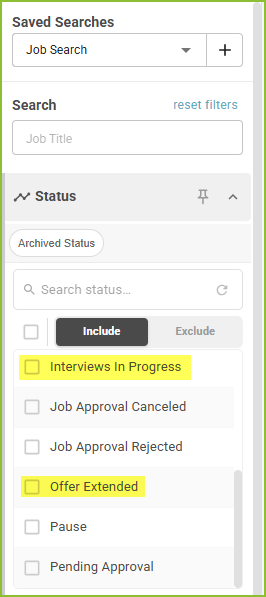
The newly modified Job Statuses will be visible in the Job Details as well as in all Status filters.
Still need help? Submit a support request and our team will get back to you.